Modules
Every module a
North American carrier needs
Canadian-built and Canadian-first — multi-tenant SaaS with PIPEDA-aligned privacy controls baked in. Ten modules covering operations, finance, fleet, mobile, compliance, ELD, load board, and AI — one branded tenant subdomain, one bill, one place to look. US cross-border operations fully supported: US HOS rulesets, DOE fuel surcharge, and USD invoicing.
Operations · Module 01
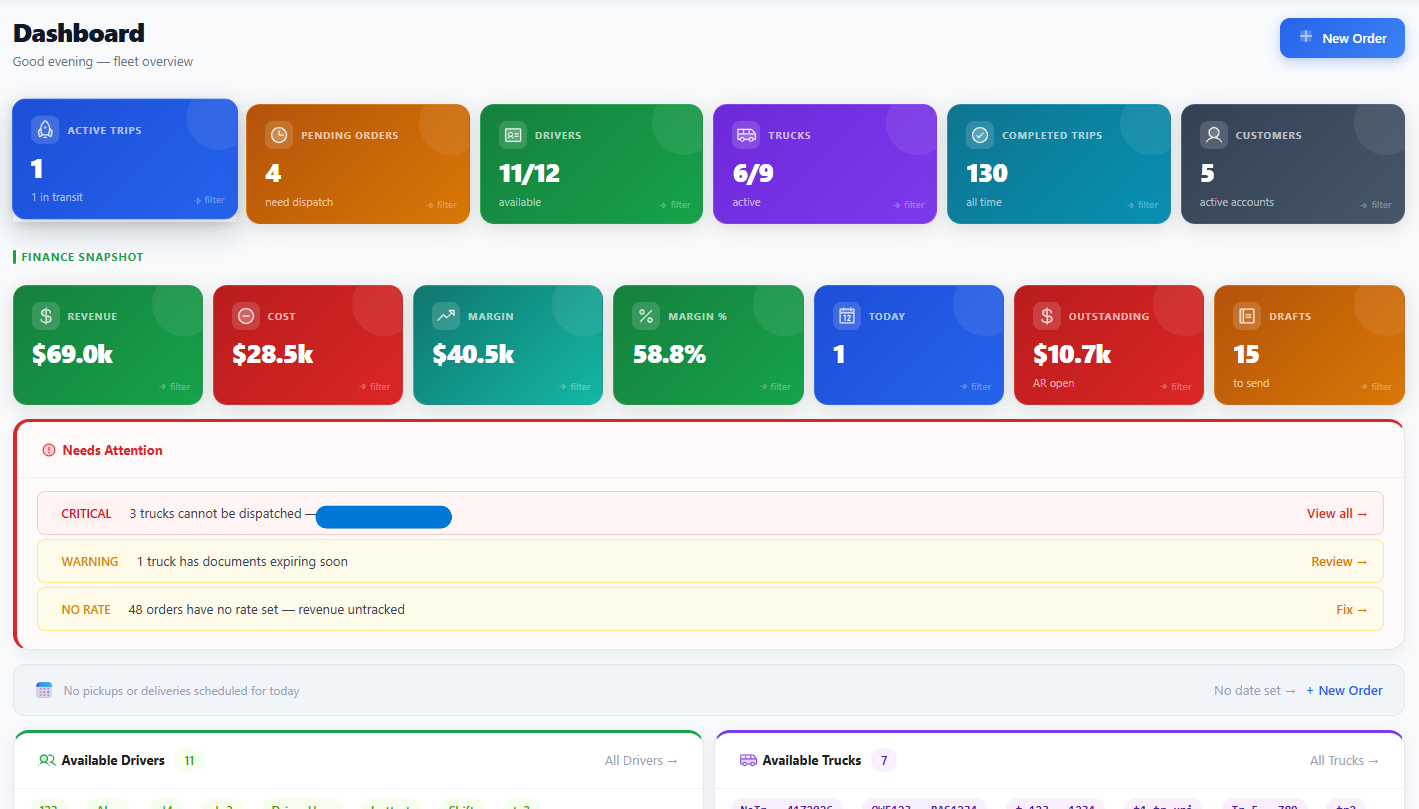
Smart Dispatch & Trip Management
A live trip board with urgency sorting (Overdue, Critical, Urgent, Today, Scheduled). Assign drivers or carriers with built-in compliance checks. Status changes trigger automatic in-transit emails to customers and carriers.
- Compliance-aware dispatch — non-compliant trucks (expired insurance or inspection) can't be assigned (Pro)
- Five-state lifecycle — Draft → Confirmed → Assigned → In Transit → Delivered, with email automation at each transition
- Mid-route reassignment — switch driver or carrier without losing audit history
- Quick dispatch modal — reassign trips without leaving the trip board
Operations · Module 02
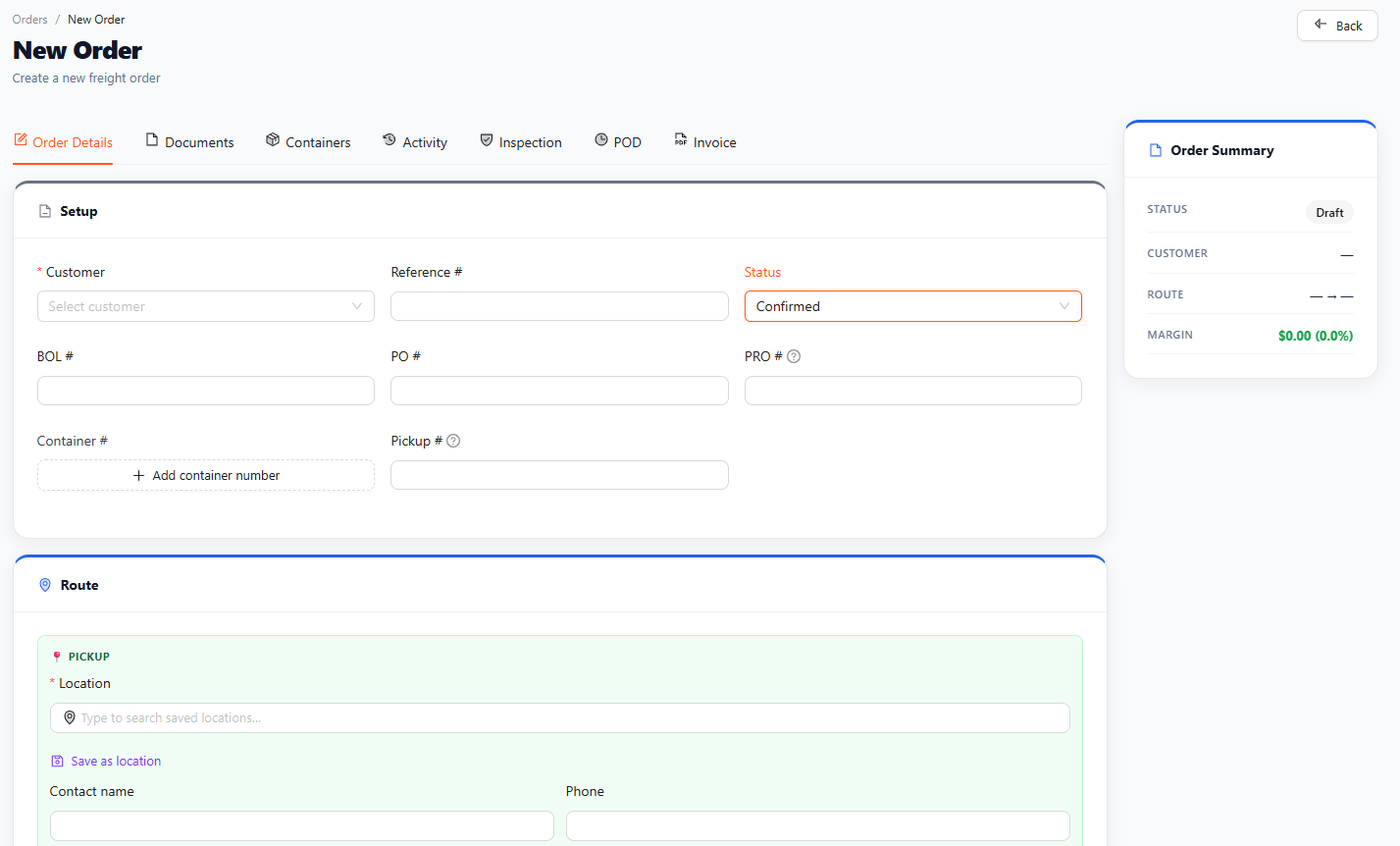
Order Management
Full order lifecycle from booking to delivered. Stops, containers, multiple BOL/PO references. Document attachments. Activity tab showing every change. Customer-facing public tracking link with no login required.
- Multi-stop orders — handle pickup + multiple deliveries with per-stop times
- Document storage — PDFs, BOLs, customs, POD signatures, all per-order
- Duplicate workflow — copy any order into a new draft in one click
- Terminal state guards — delivered orders can't be silently edited
Mobile · Module 03
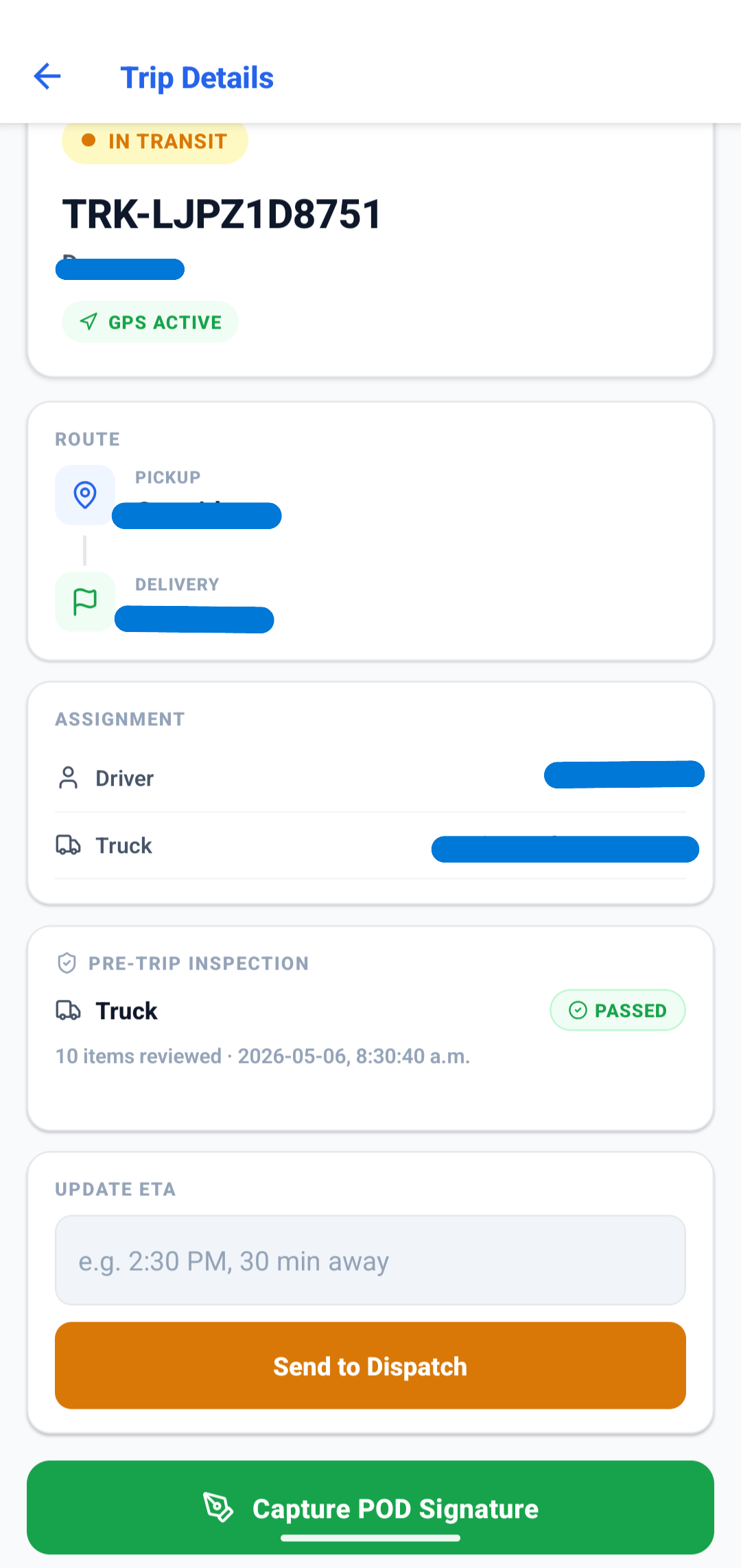
Driver Android App
Native Android app. Drivers see only their assigned trips. POD signature and photo capture in the field. Push notifications for new assignments. Real-time chat with dispatch. GPS pings every 15 seconds, even on flaky connections.
- POD capture — signature + photo at delivery, uploaded as soon as connectivity returns
- Offline-first design — works on the road, syncs when back in service
- Pre-trip inspections — CVSA-aligned checklists on the phone (Pro)
- Push notifications — new trip assignments and dispatcher messages
iOS on the roadmap — Android first because that's what most Canadian fleet drivers use today.
Fleet · Module 04
Carrier Network
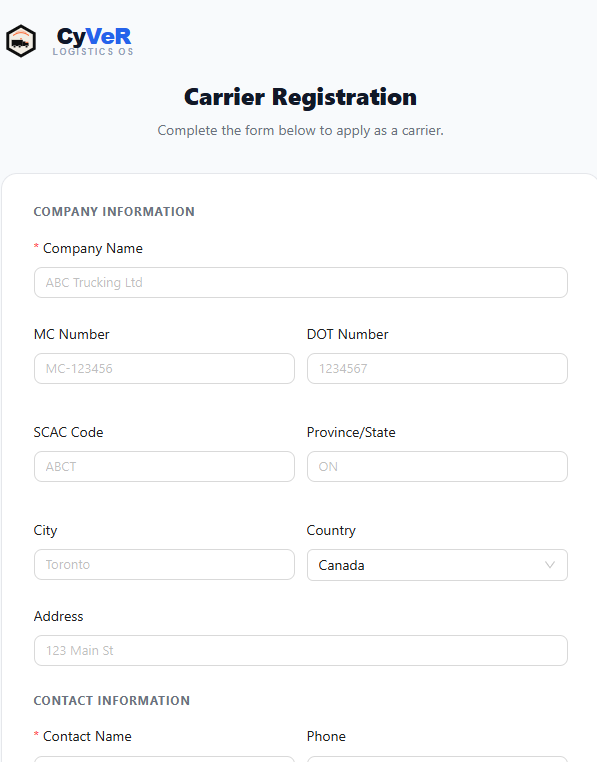
Onboard third-party carriers via a public application form. Track insurance documents and carrier profiles with expiry alerts. Carriers accept rate confirmations through the carrier portal — no phone tag, no fax machines.
- Public onboarding flow — carriers self-register with carrier profile and insurance upload
- Insurance expiry alerts — get warnings before coverage lapses
- Rate confirmation portal — carriers accept loads online with one tap
- Mixed fleet support — company drivers, owner-operators, third-party carriers in one board
Integrations · Module 05 · Pro
Find and book loads without leaving CyVeR
Connect your DAT, Truckstop, or 123Loadboard account once — then search available loads, view broker details, and import directly into your dispatch workflow with a single click.
- Multi-board search — query DAT, Truckstop, and 123Loadboard simultaneously from one screen.
- One-click import — broker auto-resolved as a customer, order created as Confirmed, ready to dispatch.
- Post your truck — broadcast available capacity to load boards directly from the Dispatch page.
- Your credentials, your account — bring your existing DAT or 123Loadboard subscription. No extra fees from CyVeR.
Vancouver, BC → Calgary, AB
Dry Van · 40,000 lbs · MC#123456
$2,400
Vancouver, BC → Edmonton, AB
Reefer · 36,000 lbs · MC#789012
$1,850
Surrey, BC → Winnipeg, MB
Flatbed · 44,000 lbs · MC#345678
$3,100
acme.cyver.ca/dispatch
Integrations · ELD · Pro
ELD Integration — Samsara & Motive
Connect your Samsara or Motive ELD once and CyVeR automatically syncs driver hours of service every 15 minutes. Dispatcher HOS overview stays current without drivers touching anything extra.
- Auto-sync every 15 min — HOS logs pulled from Samsara or Motive and written to driver records automatically. No manual entry.
- Canadian & US rulesets — Canadian federal 8-day cycle and US property/passenger 7-day cycles both supported per driver.
- Driver linking — map each Samsara or Motive driver to their CyVeR record once. Synced data appears instantly in the HOS dispatcher view.
- Your credentials — bring your existing Samsara or Motive account. No extra ELD fees from CyVeR. Webhook support for real-time pushes.
James Willard
Driving · 4h 12m remaining
Priya Sharma
Sleeper berth · Resets in 6h
Marco Delvecchio
Off duty · 2h 45m
Finance · Module 06
Invoicing, Finance & QuickBooks
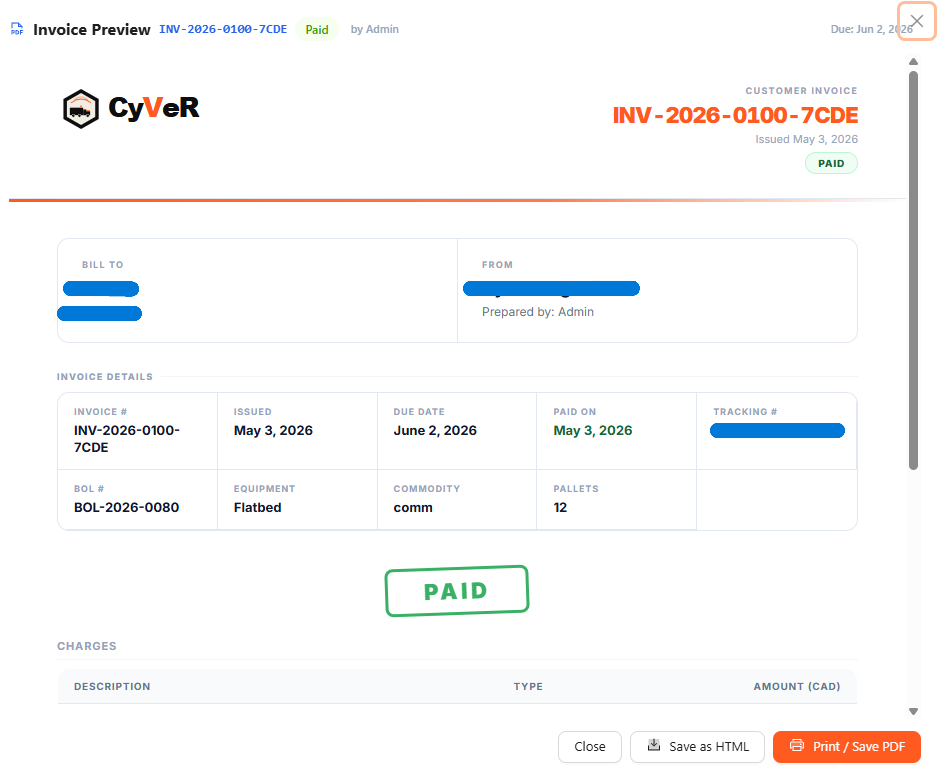
PDF invoices and customer statements with your branding. QuickBooks Online sync on Enterprise — invoices and driver pay pushed automatically. AR aging dashboard on Pro and above. Fleet analytics by truck — utilization, revenue, cost (Pro). HST and GST configurable per province.
- One-click invoicing — generate from delivered orders, customer details prefilled
- QuickBooks Online sync (Enterprise) — invoices and driver pay pushed automatically, OAuth-secured
- Per-province tax — configurable HST/GST per tenant + registrant numbers on PDFs
- AR aging — dashboard shows what's outstanding, by bucket, with one-click statement send (Pro)
- Invoice revision chain — revise, credit memo, dispute, and write-off with full audit trail. Every version downloadable
- Immutable invoice snapshots — line items and taxes captured at creation. Re-printing always shows exactly what was billed
Visibility · Module 07
Public Tracking & Live Map
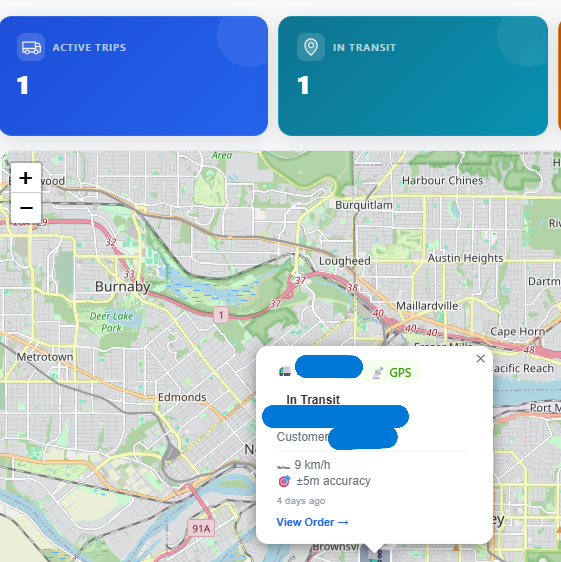
Customers get a tracking link with no login required — status updates in real time, no login required. GPS pings stream from the driver app on all plans. The fleet-wide Live Map showing every active driver simultaneously is available on Pro and above.
- No-login customer tracking — tokenized URL, no PII exposure beyond what the customer provided
- Real-time GPS map — every active driver, every active trip
- Event timeline — every status change, with timestamps
- Progress percentages — 10% Draft, 30% Confirmed, 50% Assigned, 75% Transit, 100% Delivered
- Fleet overview (Pro) — live list of every active shipment with exception flags, filters, and inline detail panel
- Exception dashboard (Pro) — late shipments, no GPS signal, and ETA updates surfaced automatically so dispatchers act before customers call
Compliance · Module 08
Security, RBAC & Audit Trail
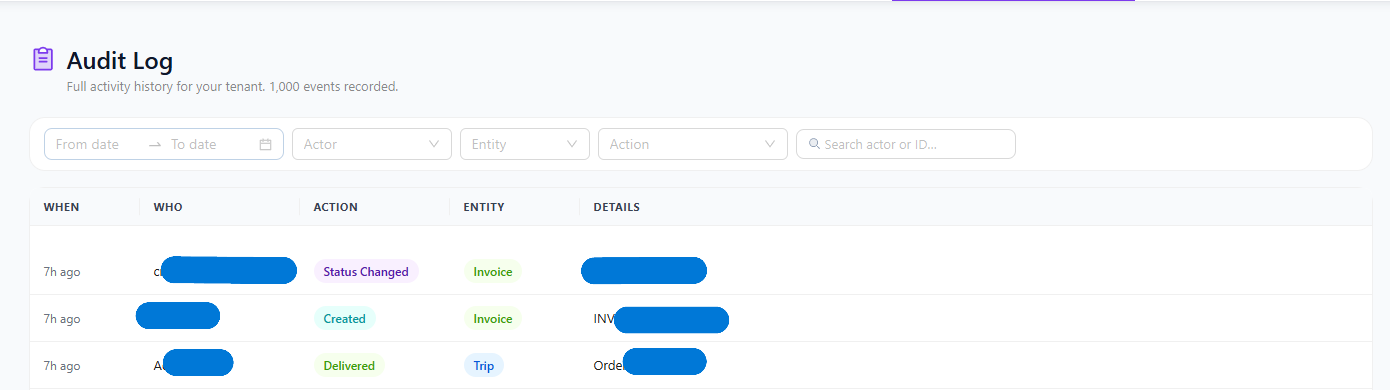
Every privileged action writes to an immutable audit log. Tenant isolation is treated as a first-class concern with comprehensive code review so boundaries stay sharp as the product evolves. Role-based access control across features. Six roles with tailored sidebar visibility per role.
Operations · Module 09
Email Automation
Configurable email triggers per tenant. Order confirmation, dispatch, in-transit (customer + carrier), POD receipt. Each section has an automation toggle. Manual send buttons remain available everywhere.
Order Confirmation
Sent to customer when order moves to Confirmed
Dispatch Notice
Driver/carrier notified of new assignment
In Transit Update
Customer + carrier notified when load departs
POD Receipt
Signature + photos emailed at delivery
Capabilities
Everything included
Operations, finance, tenancy, compliance, and mobile — the features we ship beside the headline modules above.
Operations
- ✓Order management & lifecycle
- ✓Order templates — save any order as a reusable template; create pre-filled from saved (Pro)
- ✓Dispatch trip board & real-time urgency
- ✓GPS tracking — driver app pings on all plans; fleet-wide Live Map (Pro)
- ✓ Driver pay — per-mile, per-trip, flat rate with statement PDFs (Pro)
- ✓ Load board integration — DAT, Truckstop, 123Loadboard (Pro)
- ✓Public shipment tracking pages
- ✓HOS dispatcher page — Canadian federal and US property/passenger rulesets, duty status, and violations (Pro)
- ✓ELD integration — Samsara & Motive auto-sync every 15 min (Pro)
- ✓Custom order fields — define custom fields per order, shown on entry and PDFs (Enterprise)
Compliance & security
- ✓Email-based two-factor authentication (office users)
- ✓Idle session timeout — role-based 15–60 minutes
- ✓Single active session — one device per user at a time
- ✓PIPEDA-aligned privacy controls
- ✓Encrypted daily backups
- ✓Audit trail for privileged actions
- ✓Audit log CSV export — full history export for compliance review (Enterprise)
- ✓Canadian fields — CVOR, WSIB, driver licence classes plus HST/GST
Finance
- ✓Invoicing & PDF statements
- ✓AR aging dashboard (Pro) · customer statements (all plans)
- ✓Manual invoicing — create invoices without an order, for retainers and one-off charges (Pro)
- ✓Fuel surcharge automation — auto-computes FSC on invoice creation (CA: NRCan per-km, US: DOE per-mile) (Pro)
- ✓Advanced reports — financial P&L, billing, carrier, driver, and customer analytics (Pro)
- ✓Driver pay workflows (Pro)
- ✓QuickBooks Online sync (Enterprise) — invoices and driver pay
- ✓Batch invoicing — generate invoices for all uninvoiced orders per customer in one click (Enterprise)
- ✓Scheduled reports — auto-email financial and operational reports weekly or monthly (Enterprise)
- ✓IFTA fuel tax reporting — quarterly return with jurisdiction mileage from GPS (Enterprise)
Multi-tenant
- ✓Multi-tenant architecture — isolated subdomain per customer
- ✓Six-role RBAC — admin, dispatcher, driver_manager, driver, accountant, viewer
- ✓Custom branding — logos per tenant (Enterprise)
- ✓Carrier portal for onboarding & applications
- ✓Webhook notifications — push shipment events to external URLs (Enterprise)
- ✓Read-only API access — programmatic access to orders, trips, invoices, and fleet data (Enterprise)
✦ AI Assistant
- ✦Smart dispatch suggestions — drivers ranked by availability and proximity (Pro)
- ✦Invoice anomaly detection — flags unusual amounts before you send (Pro)
- ✦Notes cleanup — rewrites rough dispatcher shorthand professionally (Pro)
- ✦Driver performance summaries and trip completion notes (Pro)
- ✦Lane profitability scoring — ranks lanes by margin (Enterprise)
- ✦Customer health scoring — flags at-risk accounts (Enterprise)
- ✦Predictive maintenance risk — flags trucks before breakdowns (Enterprise)
- ✦Capacity planning — staffing and fleet recommendations (Enterprise)
Mobile
- ✓Driver app — native Android today, iOS on the roadmap
- ✓POD signature capture & photo upload
- ✓GPS pings with resilient sync
- ✓Offline-friendly trips & catch-up sync
AI Assistant
AI built for the dispatch board
CyVeR AI works in the background so dispatchers make faster, smarter decisions — without switching tools or learning a new interface. Every AI feature is opt-in, uses your own fleet data, and respects your team's existing workflow.
Pro — AI Dispatch Assistant
- Smart driver suggestions — click to get top 3 drivers ranked by availability, home base proximity, and active trip count
- Invoice anomaly detection — silently checks each invoice against customer history before you send it
- Notes cleanup — rewrites rough dispatcher shorthand into professional dispatch notes in one click
- Driver summaries, trip notes, order priority flags — AI works in the background on the surfaces you already use
Enterprise — AI Strategic Analytics
- Lane profitability scoring — AI scores your top lanes by margin and trip volume so you know which routes to grow
- Customer health scoring — flags at-risk and growing accounts before they become problems or opportunities you miss
- Predictive maintenance risk — scores each truck by mileage, maintenance schedule, and recent expenses
- Capacity planning — analyses 6 months of order volume trends and recommends staffing and fleet adjustments
✦ AI Insights
Enterprise · Reports
See it in action
30-minute demo on live software. We'll walk through every module — including AI features — on data shaped for your fleet.